
 Customer Reviews
 FAQ
FAQ Blog
Blog


Access Control Systems Explained: Keypad, Card, FOB, and Phone Options
When you manage or own a property, access control is not really an optional detail. It’s a foundational part of how and which people enter, move around, and leave your property every day. Whether you are interested in securing a small office, a large apartment building, or a warehouse, access control system gives you authority and visibility over who gets in.
This guide walks you through the most widely used access control methods today: keypads, card readers, key fobs, and phone based authentication. We will go over how they work, where they fit, the advantages and drawbacks of each, and how to choose the right system for you.
Quick takeaway: Access control is not a one-size-fits-all type solution. Think of provided options as tools in your toolkit and not limitations. You might use more than one method, depending on the people, spaces, and level of security needed.

What Is a Physical Access Control System?
Basically, a physical access control system is any setup that allows a choice in whether to let a person through a door or not. Unlike a traditional key that you hand out and never really track, access control system ties each access to an individual credential that can be added, removed, and audited.
These systems can be as simple as a keypad by a door or as comprehensive as a building-wide network of entryways tied to a central platform. They allow you to:
- Control who can enter which doors and areas.
- Schedule access for certain times or persons.
- Revoke permissions without changing locks.
- Audit records to see who entered and when.
The key parts are the credentials, reader, controller (which makes decisions), and the lock. When a credential is presented, system checks it and if it is valid, unlocks the door.
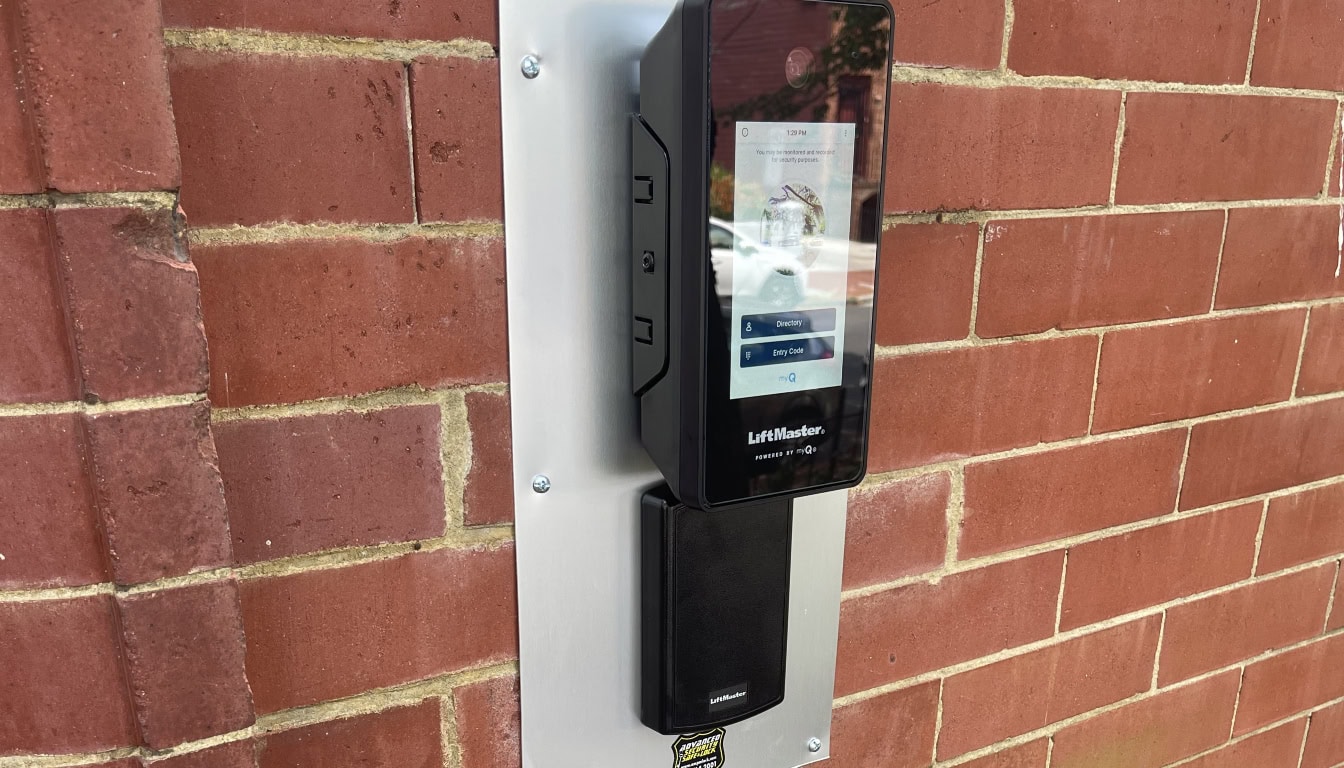
Keypad Access Control Systems
Keypad systems use numerical codes which are entered into a keypad mounted next to the door. The user puts in an assigned code, and if they are allowed entry, the door unlocks.
It is one of the oldest forms of electronic access control and still one of the most common in small businesses and warehouses. It is also a common choice for interior access points where issuing physical credentials might feel like overkill.
How They Work
Each user is assigned a unique code or group of codes. When someone enters the correct code, the keypad sends that code to the controller. The controller checks it, and if permissions match, the lock is opened for a short time.
Where Keypads Fit Well
- Low to medium traffic interior doors
- Sections that don’t need strict individual tracking
- Temporary or contractor access
Pros of Keypad Systems
- No physical items for users to carry or lose.
- Lower upfront cost than card and fob systems.
- Easy for users to learn and use.
Cons of Keypad Systems
- Users can share codes, which undermines accountability.
- Codes should be changed regularly, especially after employee changes.
- Without logging, you can’t track access details.
Reality check: A keypad without logging is basically a glorified electric door lock. If you need accountability, pair it with a controller that records entries.

Card Access Control Systems
Card based systems use physical cards with either a magnetic strip, a barcode, or an embedded chip (like Tap to Pay). Users wave or tap their card on a reader and based on permissions, the door is either unlocked or remains locked.
Card systems are the most installed access control systems in offices, government buildings, and apartment complexes. They provide a good balance between security, cost, and ease of use.
How They Work
Each person’s card has a unique identifier. When scanned, the reader sends it to the controller, which checks for permissions and either grants access or denies it.
Where Card Systems Fit Best
- Office buildings with predictable employee flows
- Properties where physical tracking of who enters is important
- Places where badges are used for other systems (cafeteria, printers)
Advantages of Card Systems
- Each credential is unique and can be disabled instantly.
- Cards can be replaced without changing any hardware.
- Systems can log every access event for review.
Limitations
- Cards can still be lost, forgotten, or given to others.
- There is a recurring cost to issue new cards.
- Cards require physical handling and storage.
Operational tip: Issue cards at onboarding and deactivate them immediately when someone leaves. Strict card management is what makes these systems effective.
Key Fob Access Control Systems
Key fobs work similarly to card systems but tend to use proximity technology. The user holds the fob near the reader, and the reader picks up its signal. Fobs are smaller and harder to bend or damage than cards.
Key fob systems are common in apartment buildings, fitness clubs, and parking facilities. Basically, anywhere where people expect quick, hands-free access.
How They Work
The fob contains an electronic chip that provides its unique identifier to the reader when nearby. The controller checks that identifier against the access database.
Where Fobs Excel
- High-traffic doors where speed matters
- Multi-door systems with the same credential
- Environments where cards would wear too fast
Pros of Fob Systems
- Fast, touchless user experience.
- Long-lasting and rugged for daily use.
- Easy to issue and revoke like card systems.
Cons of Fobs
- Fobs are still physical, and users can misplace them.
- They add a small recurring cost per user.
- Some users prefer to carry fewer items.

Smartphone-Based Access
Uses smartphones instead of cards, fobs, or keypads. Credentials are stored in an app or inside a digital wallet. Doors can be unlocked using Bluetooth, NFC, or QR code scanning. It is the newest and fastest growing option in access control.
How Mobile Access Works
After enrolling a phone with your access control platform, users can present their device to a reader in the same way they would a card or fob. Some systems can also allow you to manage access remotely. Meaning, you can issue or revoke credentials instantly without physical interaction.
Benefits of Phone Access
- No physical item to issue or replace.
- Instant updates when access rights change.
- Often integrates with other apps (visitor management, parking).
Challenges With Mobile Access
- Users need compatible phones and current software.
- Not everyone wants to use their phone.
- Battery life and connectivity can be an issue.
Practical advice: Phone access is ideal where users already carry phones with them. For visitor, a QR code can be an easy solution without issuing permanent access.

Biometric Access Control Systems
Biometric access control systems use your body, instead of a card or a code you know. Biometric systems can use fingerprint, facial recognition, iris scan, or even palm print. The idea is simple, your body is the credential.
Biometric systems were usually used in higher security environments. However, as the tech is becoming more affordable, they are becoming more common in offices, medical facilities, and residential applications.
How Biometric Access Works
When a user is set up, the system registers their biometric info and stores it as a template for that person, like a fingerprint. That data is stored securely in the access control system linked to that person. When the person scans their fingerprint at the reader, the fingerprint is compared to the stored data. If they match, access will be granted.
It is important to note that most reputable systems keep encrypted files, rather than actual images. It can make a huge difference when it comes to privacy and compliance..
Where Biometric Systems Make Sense
- High security areas like server rooms or labs
- Locations where credential sharing is a concern
- Facilities that need strong identity verification
- Time and attendance tracking combined with door access
Advantages of Biometric Access Control
- No cards or fobs to lose or forget.
- Accountability tied directly to the person.
- They are harder to bypass compared to keypad or card system.
Things to Consider Before Installation
- Larger upfront cost compared to keypads or card access systems.
- Privacy laws for your state and/or industry must be followed.
- Some factors will affect performance on certain systems, such as dirty hands or low lighting.
Important: Speak with a professional about regulations for your state regarding biometric access. Your state may have rules about how the data is collected, stored, and disclosed.
In most cases, biometric technology works best when used as a addition to another access control system. For example, use a card reader at the main entrance and then add biometric access control for more restricted areas. This way you get better control while still keeping day to day employee access simple.
Choosing the Right Access Control System For You
Choosing the right system depends on various factors. Think about how people move through the property daily, and what you want from access control beyond simply unlocking doors.
Questions to Ask
- How many people do you need to manage?
- Do you need logs of who accessed what and when?
- Is it easier to carry phones, cards, or fobs?
- How often do you expect changes (new employees, tenants, etc.)?
In many cases, a hybrid solution makes more sense. For example, an extended stay hotel building might use key fobs for long stays, keypad codes for maintenance, and QR Codes for short-term guests.
Security layers matter: Combining technologies can also increase security. A keypad plus a fob reader provides a two-factor authentication without biometrics.
Final Thoughts
Access control systems have evolved from a simple key replacement to a sophisticated digital platform. It give you control, flexibility, and insight into who entered when. Whether you choose a keypad system for simplicity or mobile access for modern convenience, what matters most is choosing the right combo to securing your property.
Think about access control as a long-term investment in security. Regular inspections of your system’s performance will ensure it continues to serve your needs as your property and user base change.


